Control from the menu bar
Turn sleep prevention on and off from the menu bar icon.
Caffeinate is a small menu bar utility. Turn on sleep prevention with a click, and turn it off when you're done.

Turn sleep prevention on and off from the menu bar icon.
Keep the screen lit during presentations or monitoring.
List the apps currently keeping your Mac awake.
Review the apps that often prevent sleep and this week's usage in a bar chart.
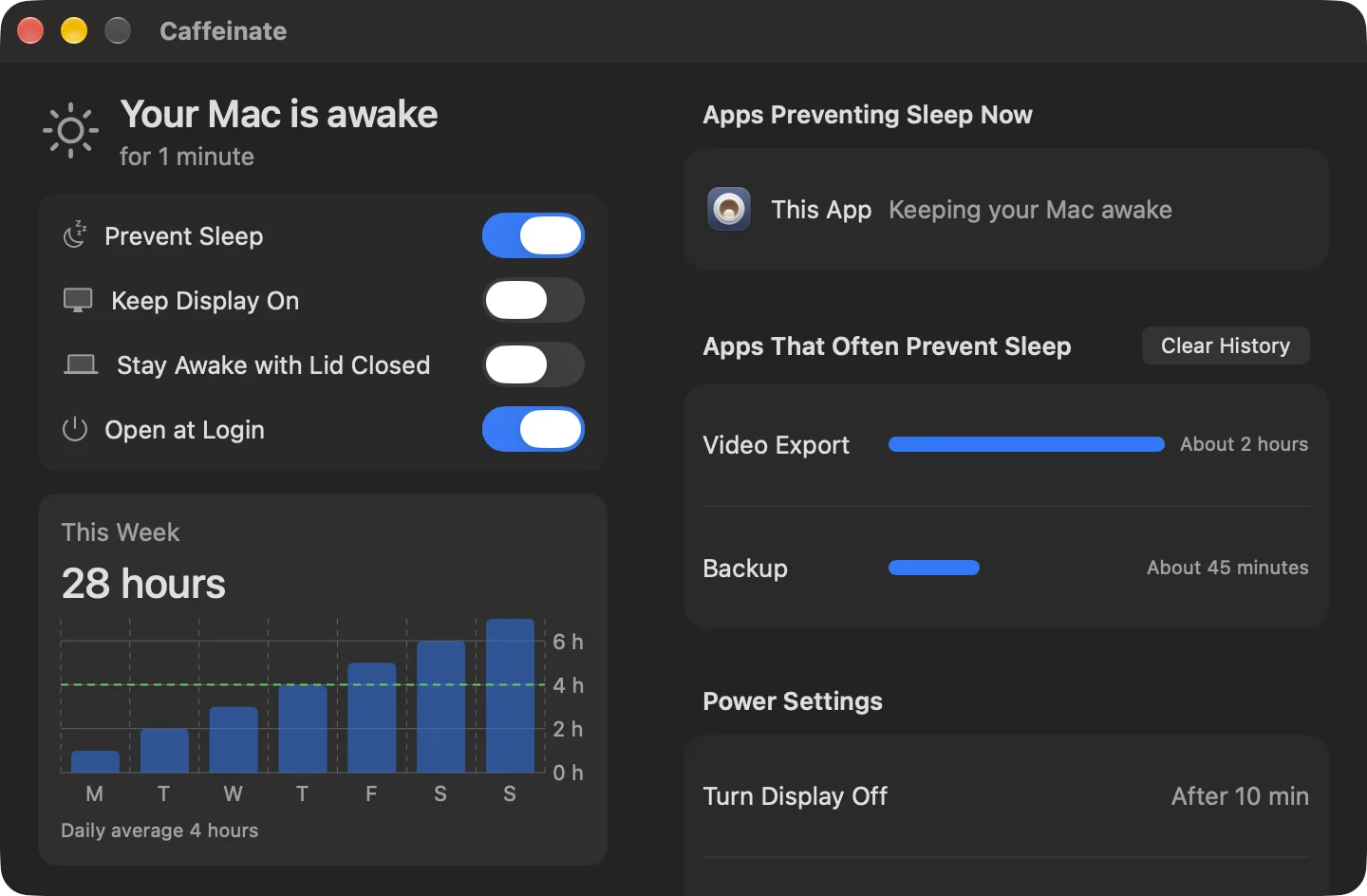
The screen is an illustrative example.
| Mac App Store | Direct | |
|---|---|---|
| Prevent sleep, keep display on | Included | Included |
| Apps preventing sleep, usage chart | Included | Included |
| Stay awake with lid closed | Not included | Included |
| Price | US$9.99, one-time | US$9.99, one-time |
| Trial | App Store policy | 14 days |
| Payment | Apple | Paddle |
| Updates | App Store | Checked automatically in the app |
| Refunds | Apple policy | Request within 14 days of purchase |
| Download 14-Day Trial |
Installing both editions on one Mac isn’t supported. Using a Mac with the lid closed can cause overheating or drain the battery quickly.
Use the menu bar icon's menu or the switches in the app window.
Yes. Keep Display On works separately from sleep prevention.
Yes. The app window lists current apps and system processes.
Email your App Store receipt to contact@object.so. After checking it, we will send a free direct edition license.
No. Installing both editions on one Mac isn't supported.